> ## Documentation Index
> Fetch the complete documentation index at: https://docs.bobyard.com/llms.txt
> Use this file to discover all available pages before exploring further.
# Guide 5: Correcting AI Output
> 3 minutes
In this guide we will try our auto count models on a page and correct the missing symbols in the output.
Our AI tools are just that, tools. Different tools are better for different jobs and when used together, they can speed things up drastically.
Here is the file we will be using:
```
https://bobyard-public-images.s3.us-west-2.amazonaws.com/L-3.10.pdf-0-44f9de5d-50b1-48d0-9e87-4e3a907ef5bf.png
```
Here is also a video going into more detail:
```
https://drive.google.com/file/d/11T3eNXKr6dyYSS_SCYskz6oJK_ny5IKU/view?usp=sharing
```
## Setup
Follow the steps in Guide #1 and #4 to
* Create a new project
* Upload this page
* Select it for takeoff
* Prep the page
## Create legend
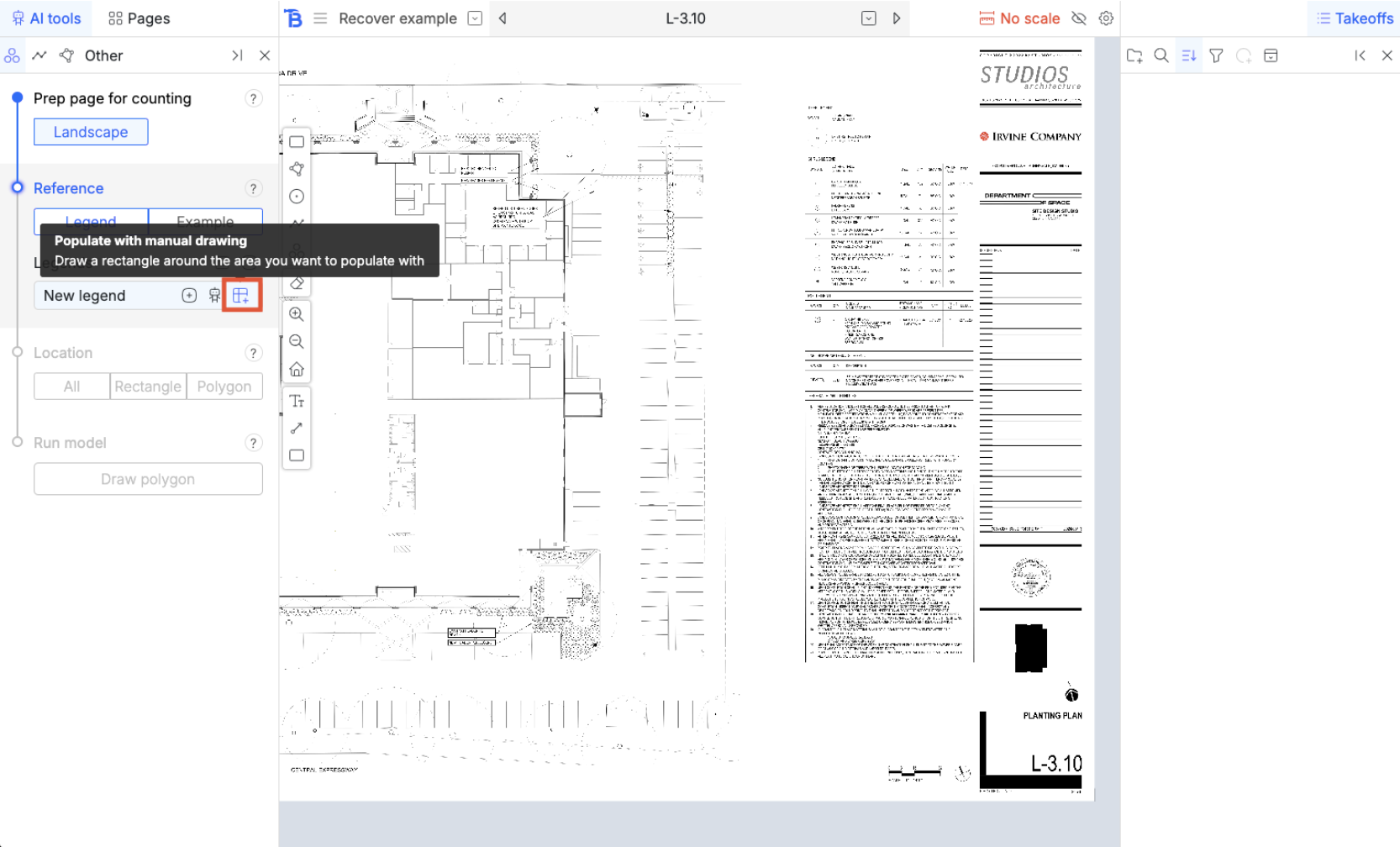
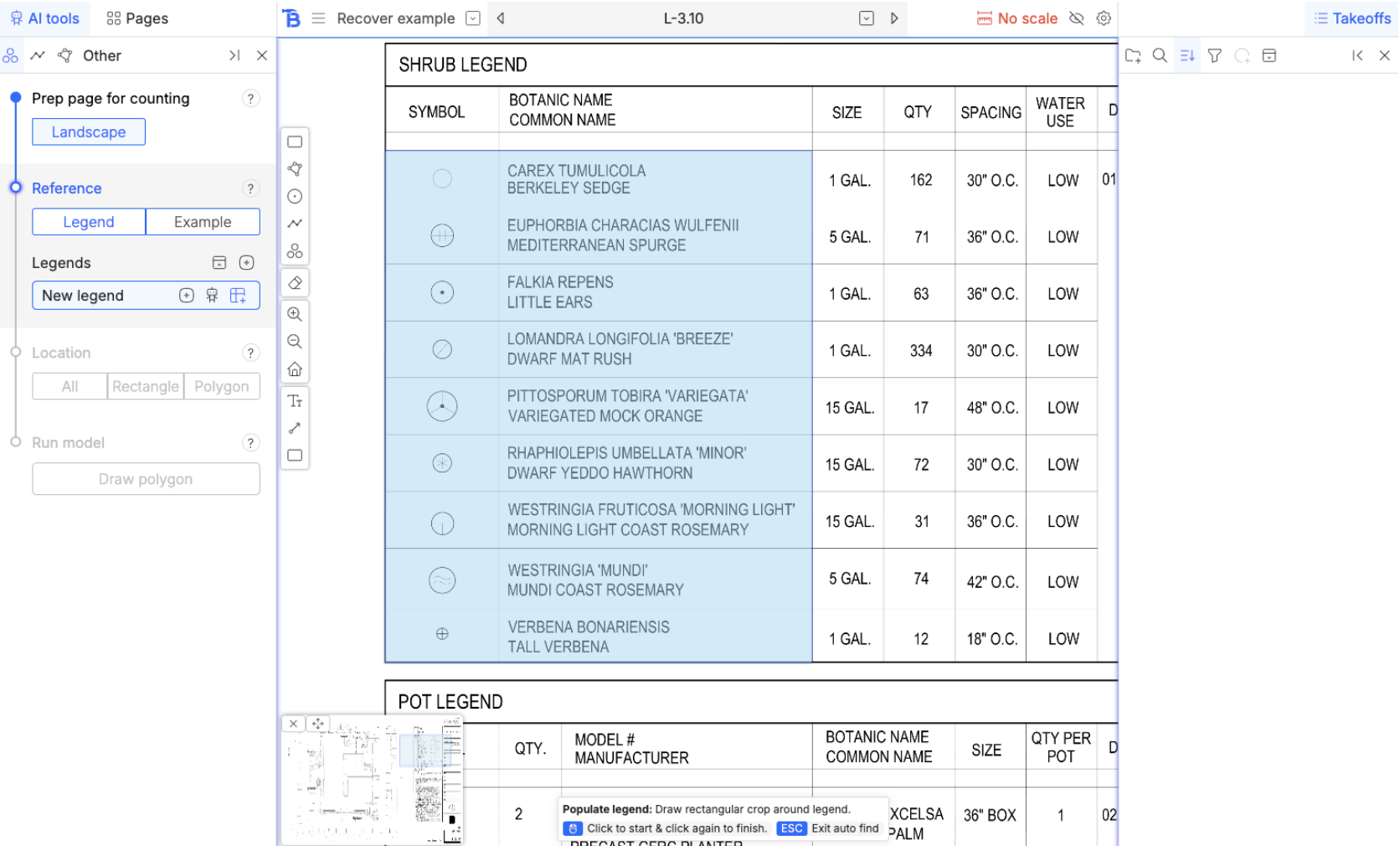
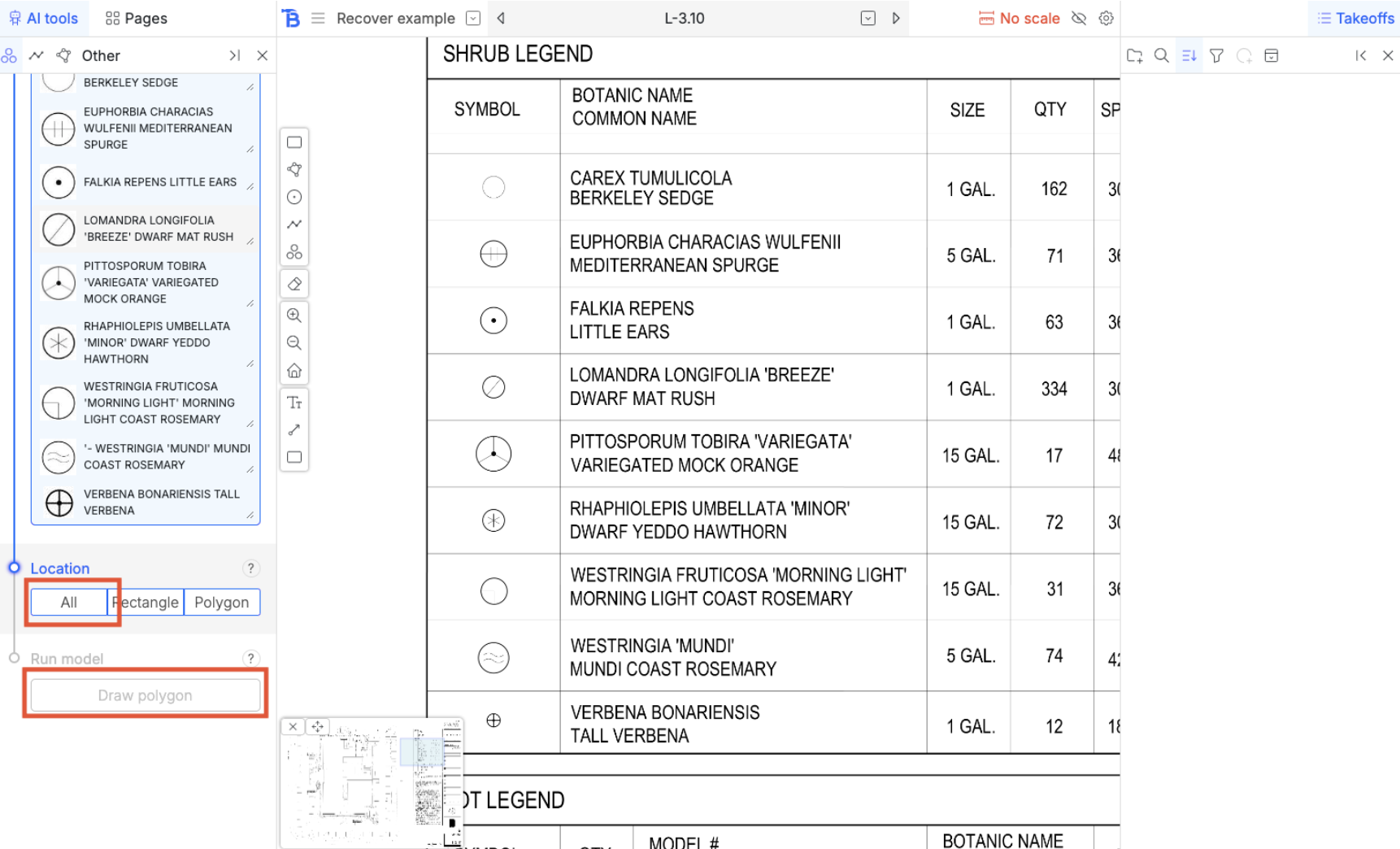
For the sake of this example we are going to populate the legend with an area we draw out manually.
 ## Run model
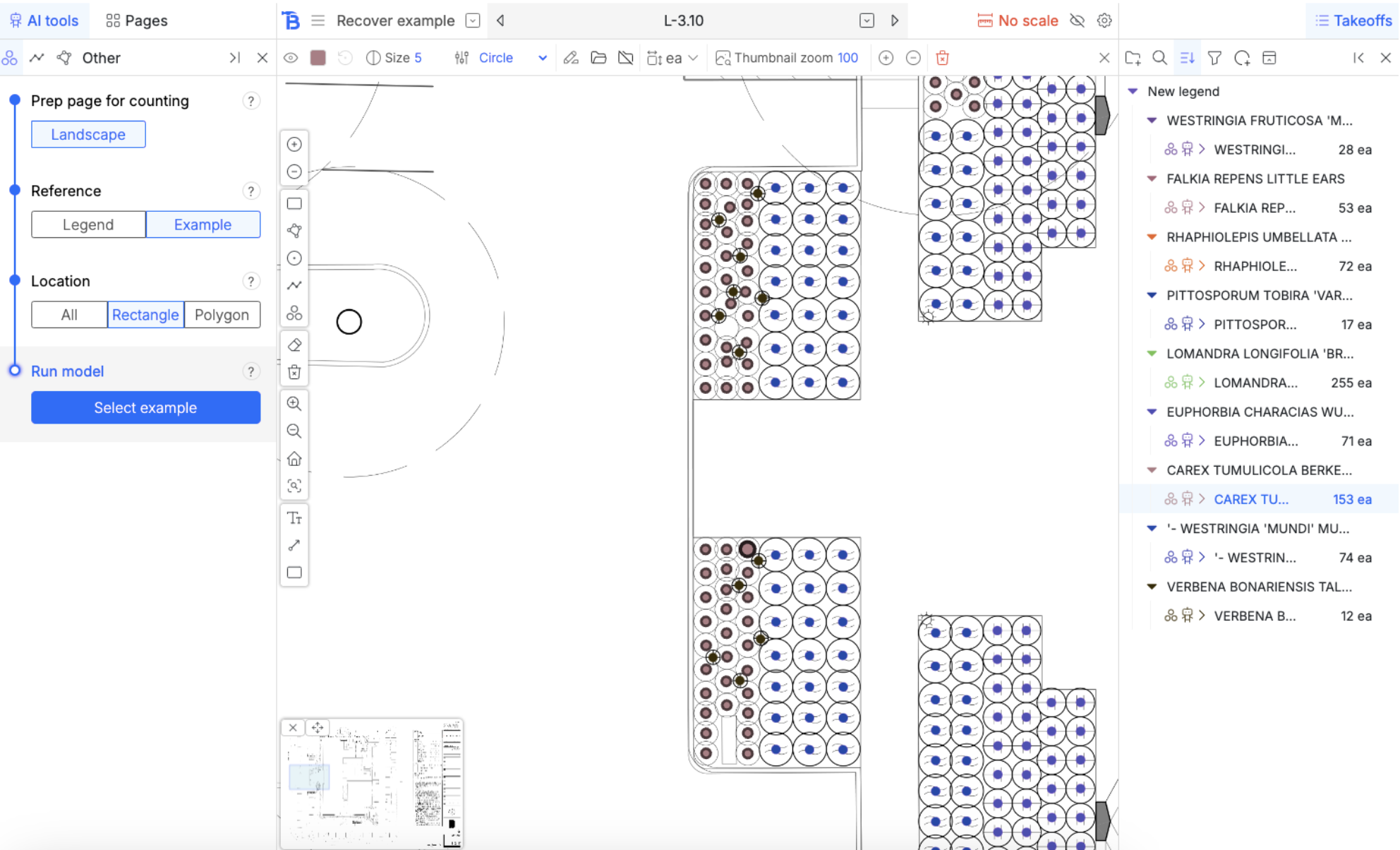
 Inspecting results
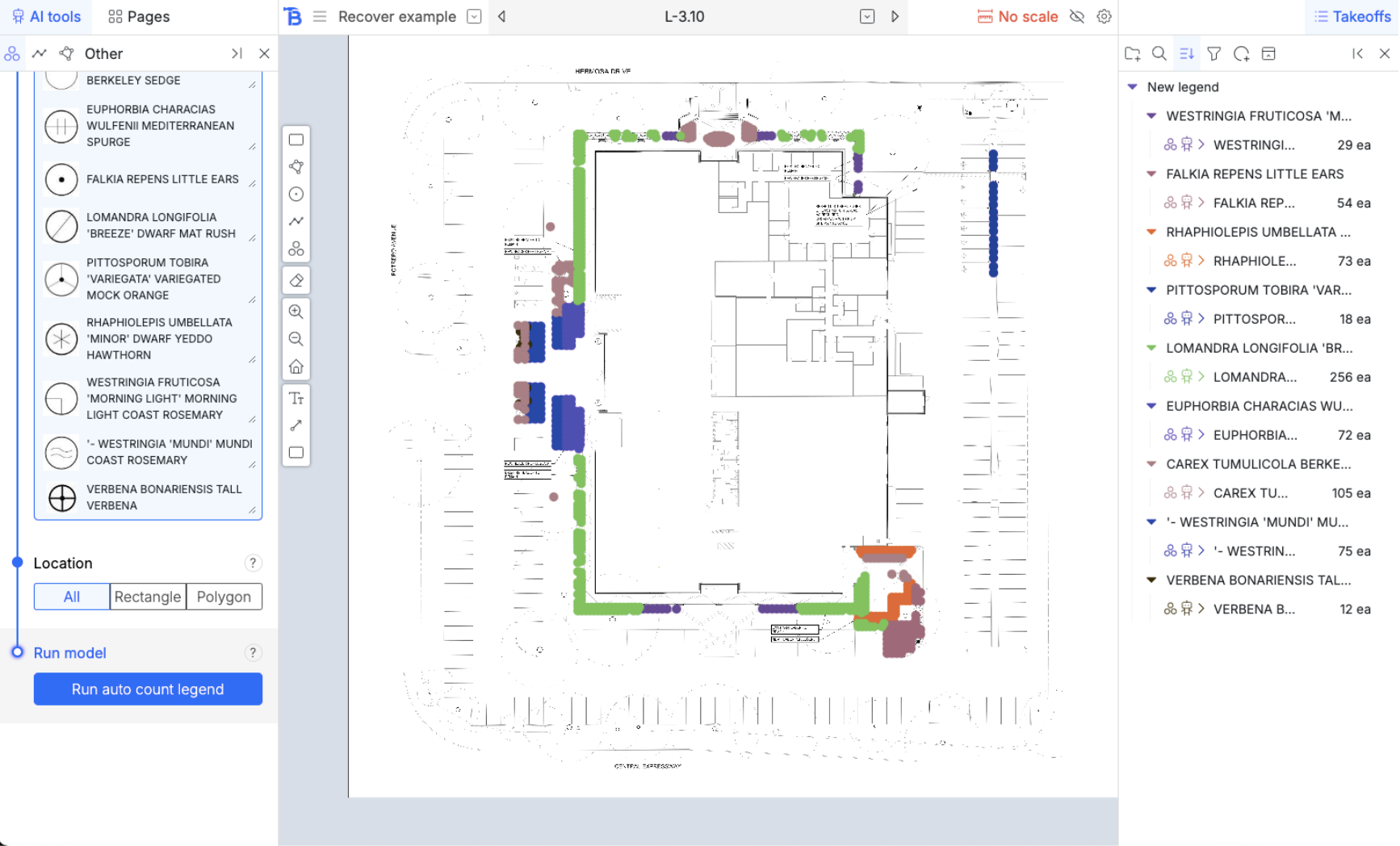 It’s missing some symbols here
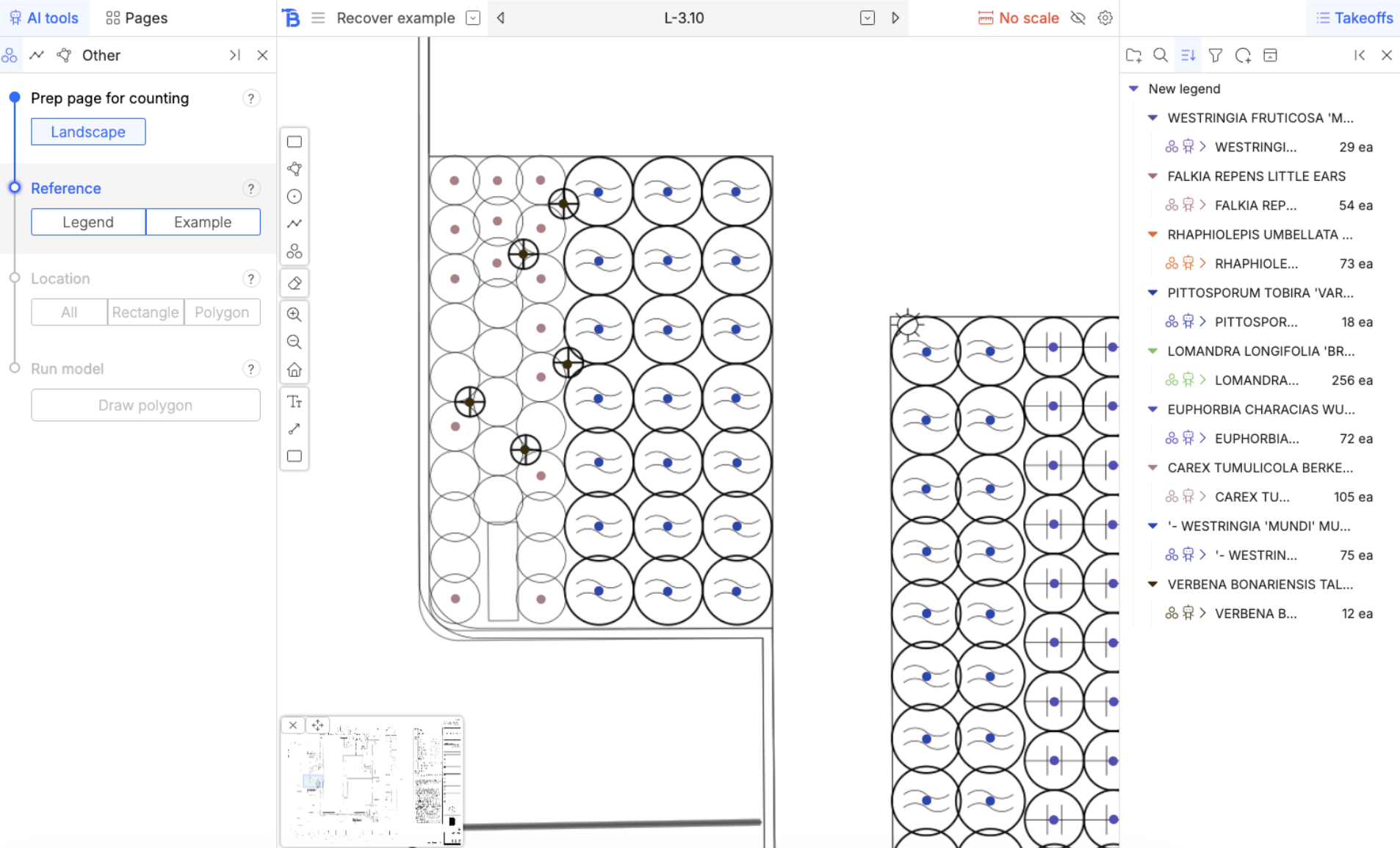 ## ‘Example’ auto count
* Choose ‘Example’ and ‘Rectangle’
* Then hit run model
* Choose a symbol that the model missed as the example
## ‘Example’ auto count
* Choose ‘Example’ and ‘Rectangle’
* Then hit run model
* Choose a symbol that the model missed as the example
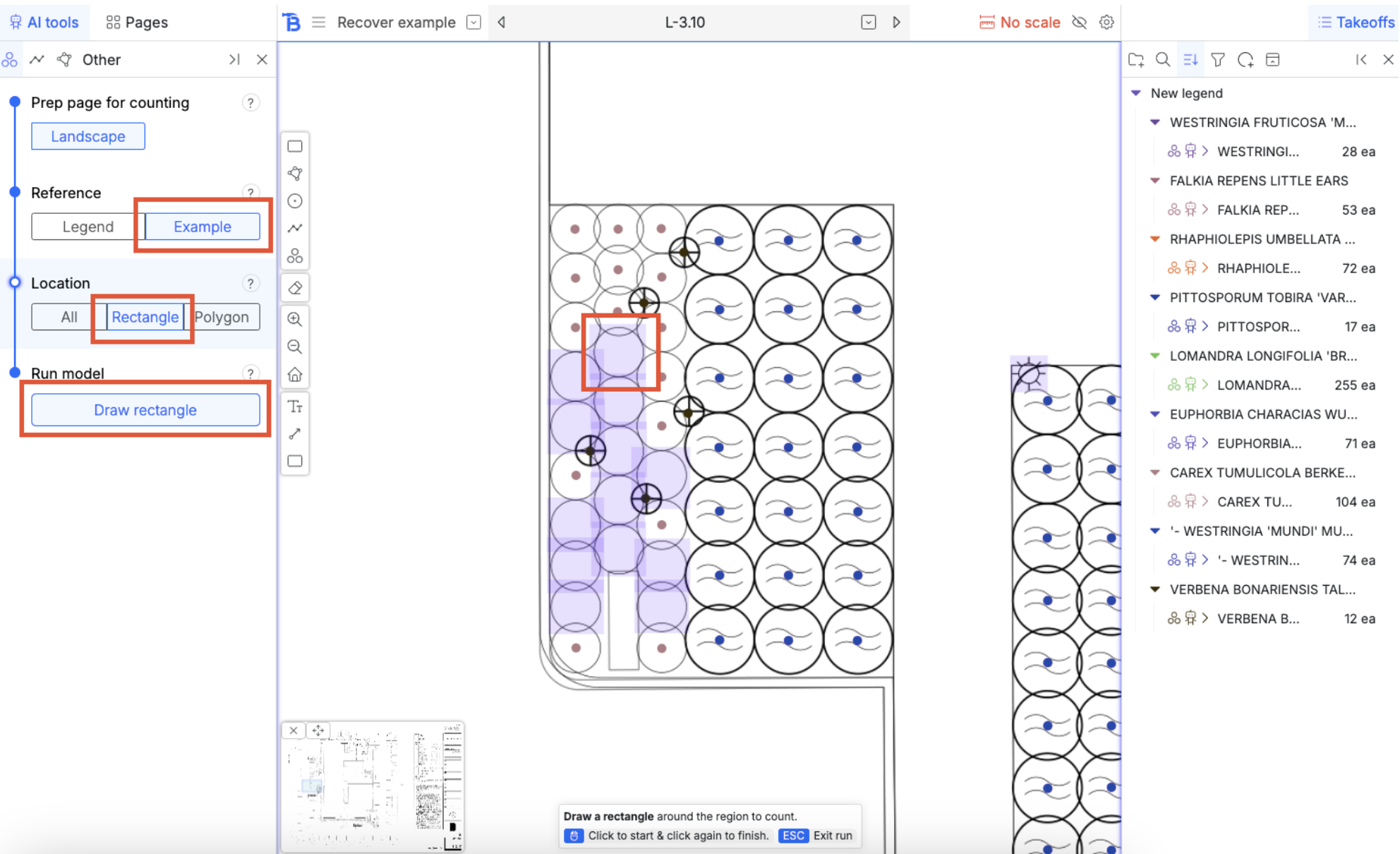 Draw a rectangle around this area
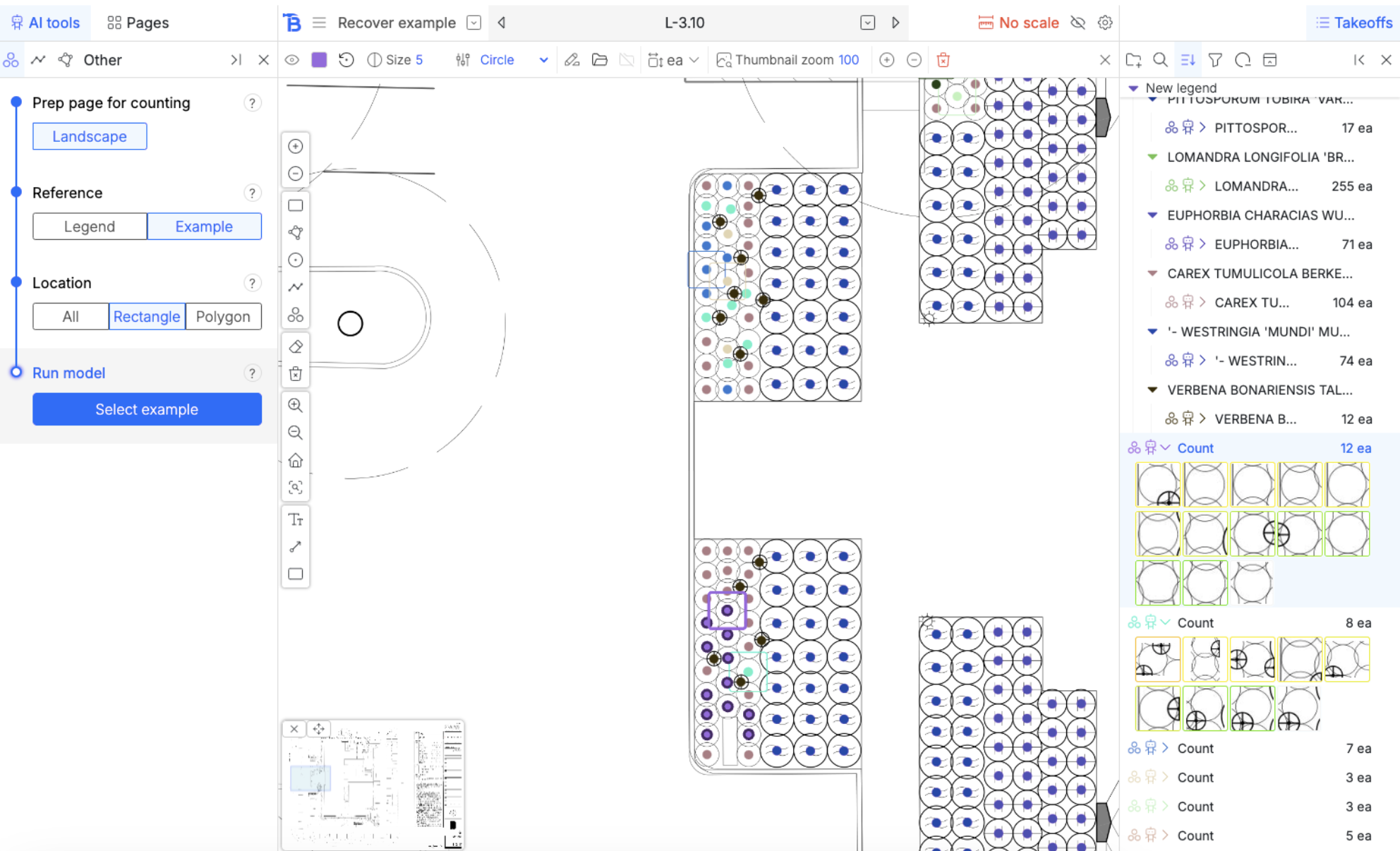
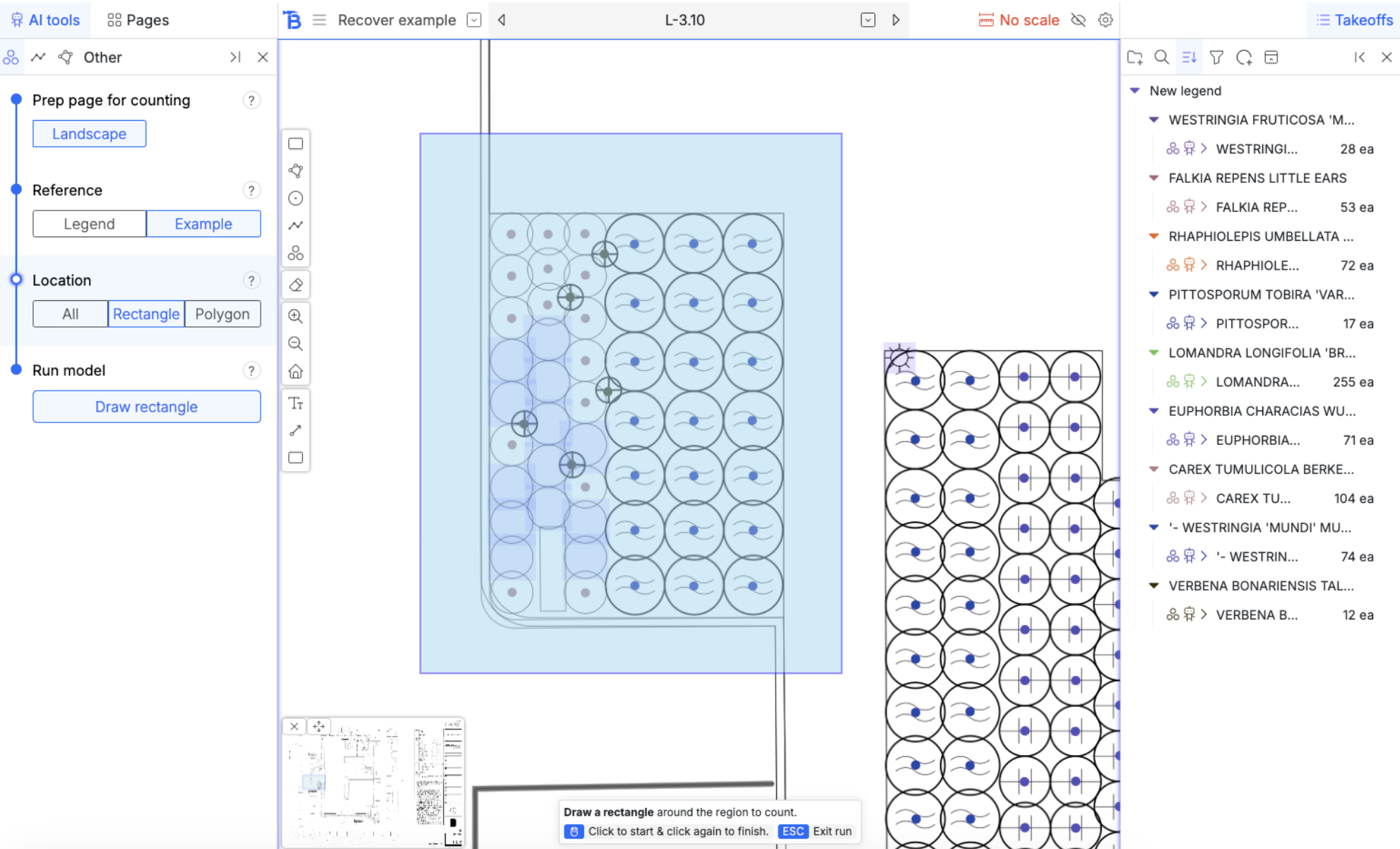 You can keep selecting examples that it missed and drawing a rectangle around it. I did this a few more times in some other regions of the drawing and got the follow results:
 ## Merge counts
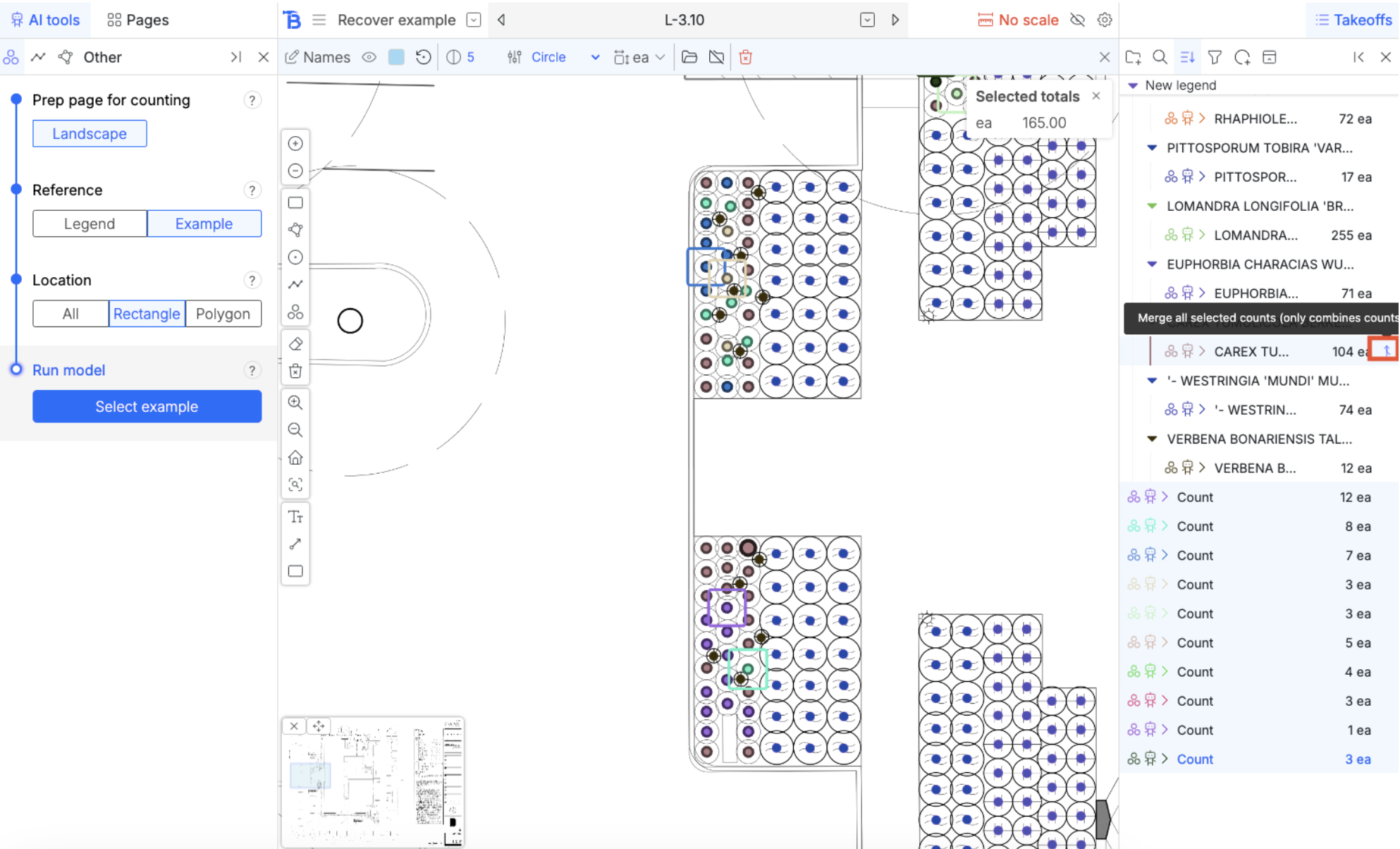
We’ve used the missing symbols as examples and now we have multiple line items for the same symbol.
By holding down shift or control, multi-select them. When they are all selected, hovering over them reveals a merge button on the right hand side. This will merge all counts you have selected into that one.
## Merge counts
We’ve used the missing symbols as examples and now we have multiple line items for the same symbol.
By holding down shift or control, multi-select them. When they are all selected, hovering over them reveals a merge button on the right hand side. This will merge all counts you have selected into that one.