> ## Documentation Index
> Fetch the complete documentation index at: https://docs.bobyard.com/llms.txt
> Use this file to discover all available pages before exploring further.

# Guide 2: Manual Takeoff

> 2 minutes

In this guide, we will a few manual takeoffs.

Here’s the drawing so you can follow along exactly:

<a href="https://bobyard-public-images.s3.us-west-2.amazonaws.com/L9.03+-+PLANTING+PLAN_page-0001.jpg" target="_blank">
  ```
  https://bobyard-public-images.s3.us-west-2.amazonaws.com/L9.03+-+PLANTING+PLAN_page-0001.jpg 
  ```
</a>

You can read more about the manual takeoff tools after the guide <a href="/specs/manual-takeoff">here</a>.

## Scale

Zoom in and find the scale on the drawing. You can do this by pinching on the trackpad or using the zoom buttons on the bottom of your toolbar.
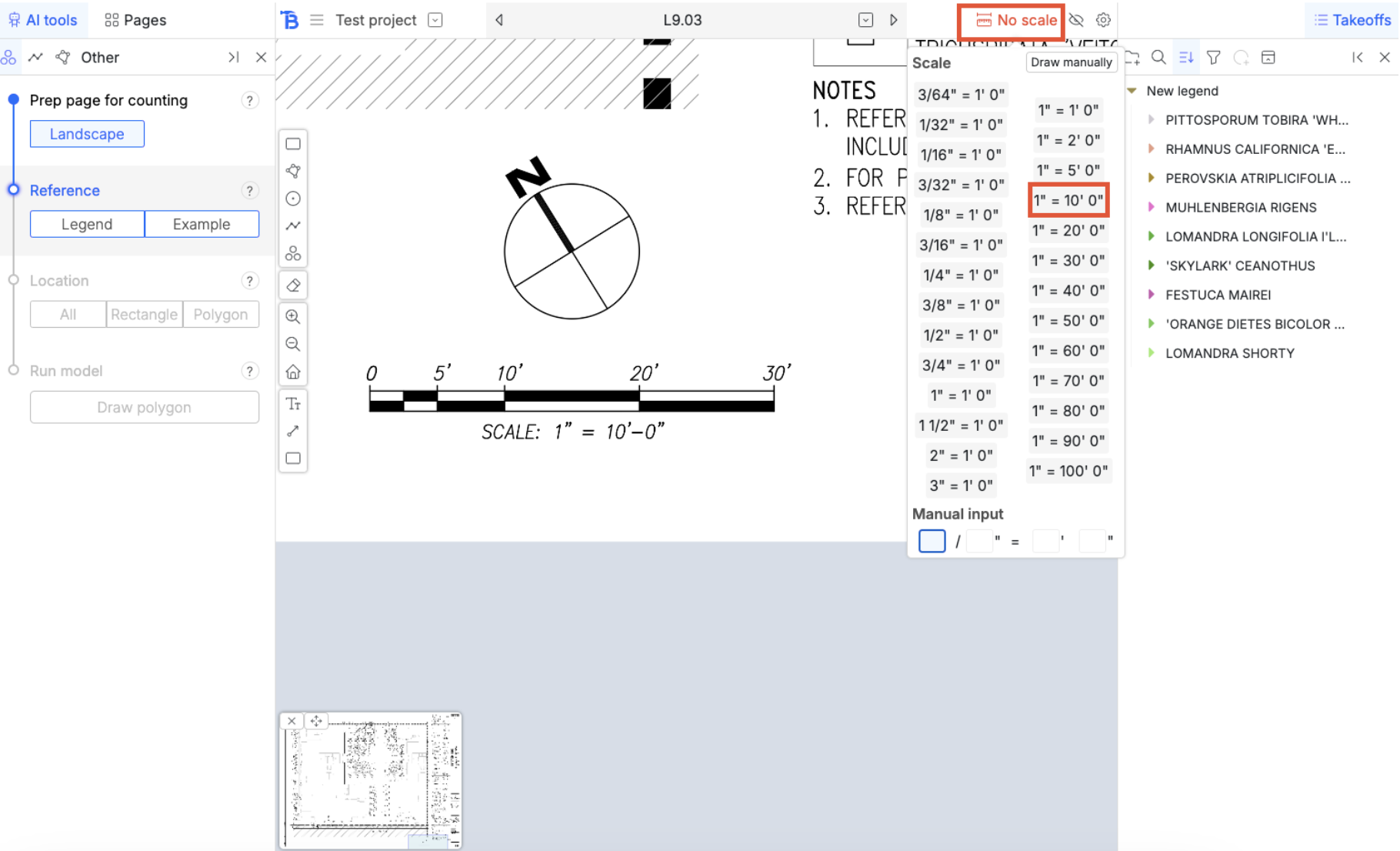
<img src="https://mintcdn.com/bobyard/accwZIPeW2F5ipi-/images/guides/guide3-scale.png?fit=max&auto=format&n=accwZIPeW2F5ipi-&q=85&s=234953d39d7446794d6d6a60c5ee966f" width="1820" height="1106" data-path="images/guides/guide3-scale.png" />

## Groups

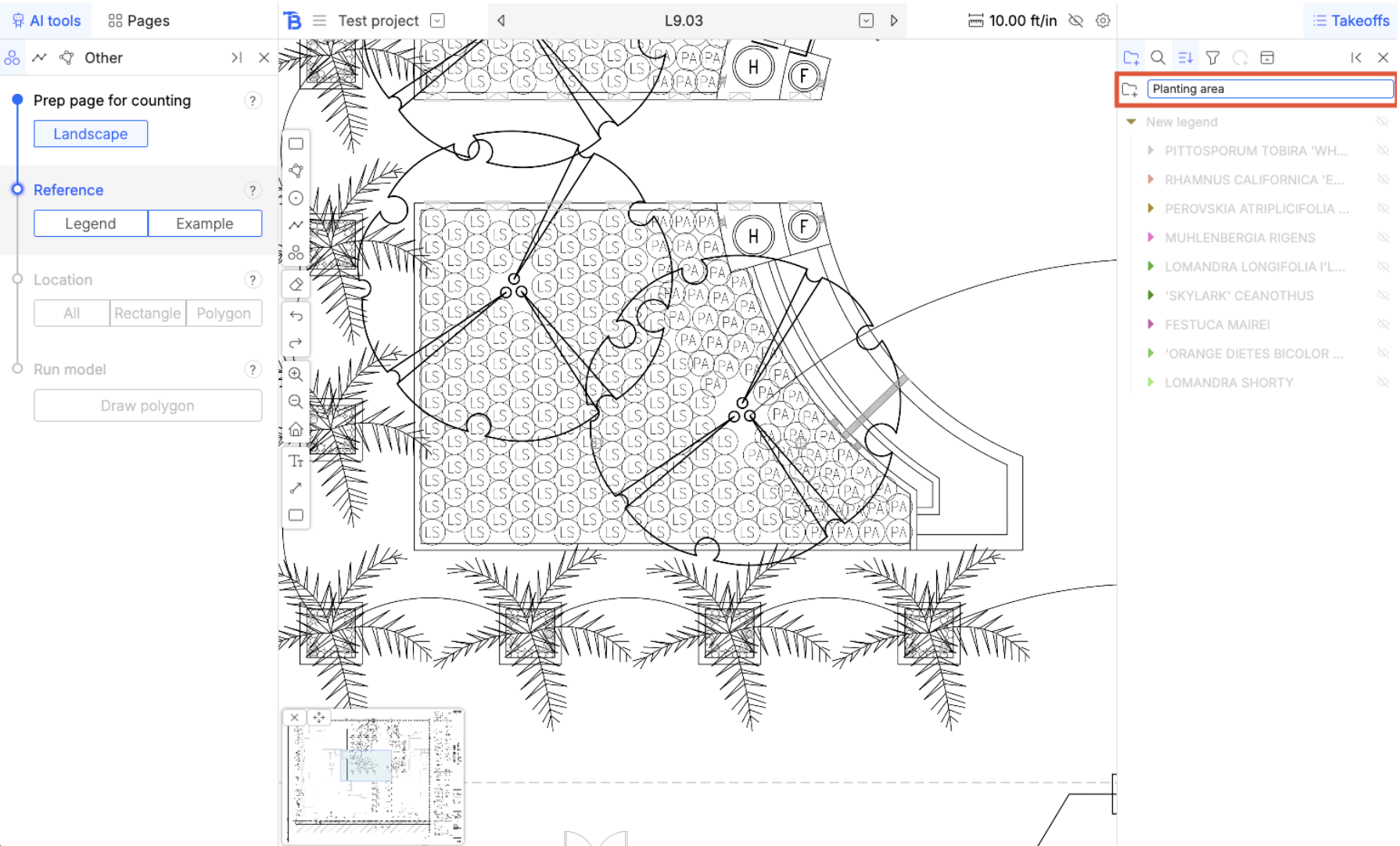
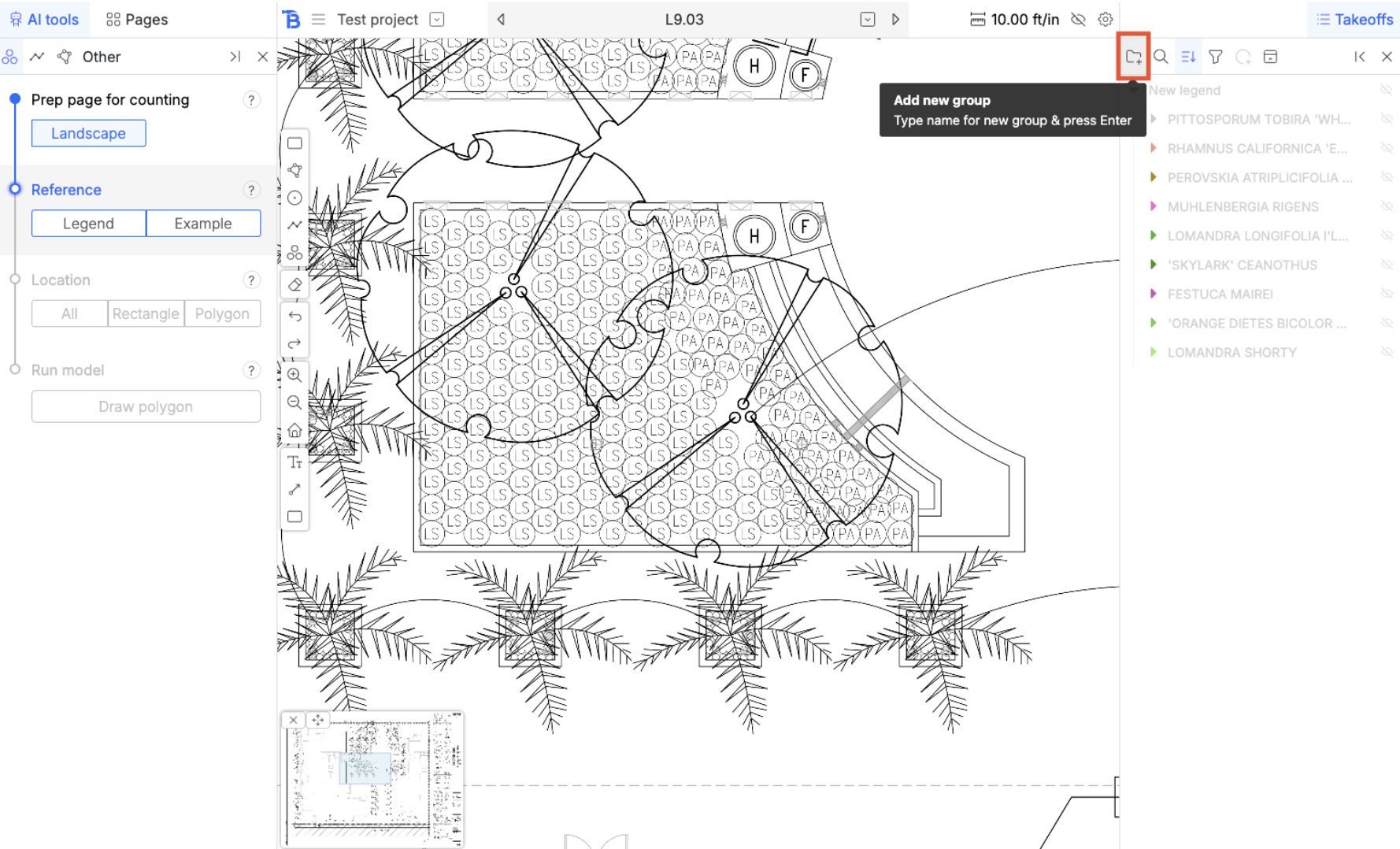
Lets create a new group. Name it ‘Planting area’ and then hit enter.
<img src="https://mintcdn.com/bobyard/accwZIPeW2F5ipi-/images/guides/guide3-groups1.png?fit=max&auto=format&n=accwZIPeW2F5ipi-&q=85&s=92a41899bc84ce38f6cb852eeae7341e" width="1778" height="1078" data-path="images/guides/guide3-groups1.png" />

<img src="https://mintcdn.com/bobyard/accwZIPeW2F5ipi-/images/guides/guide3-groups2.png?fit=max&auto=format&n=accwZIPeW2F5ipi-&q=85&s=5b4559b8a44faf7ac0a829ce64f09fbc" width="1790" height="1082" data-path="images/guides/guide3-groups2.png" />

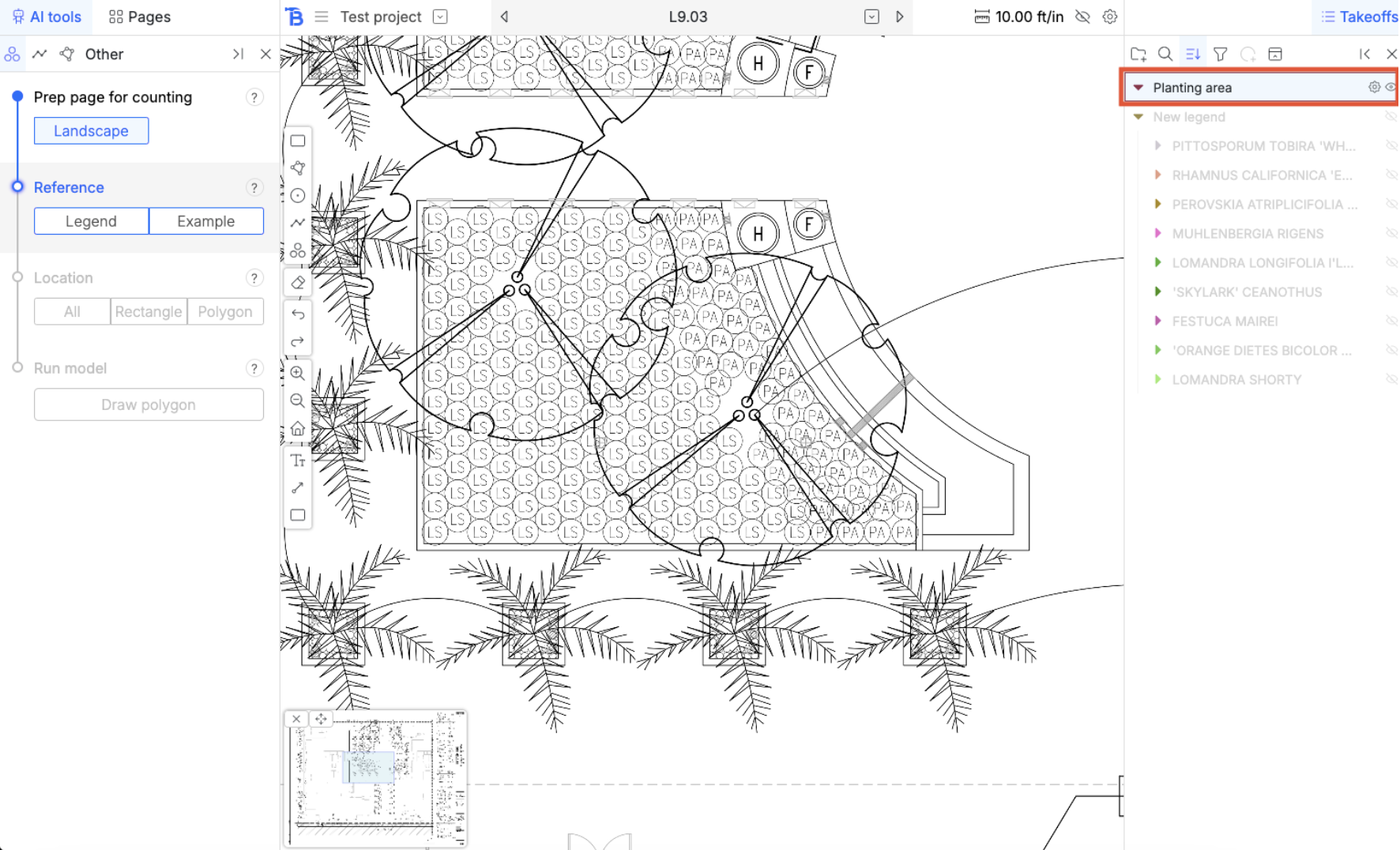
Click on the group to select it for takeoff. Now, all measurements that you draw will go into that folder.
<img src="https://mintcdn.com/bobyard/accwZIPeW2F5ipi-/images/guides/guide3-groups3.png?fit=max&auto=format&n=accwZIPeW2F5ipi-&q=85&s=2a127c7c02878d6a30ed09b4d98ad661" width="1772" height="1076" data-path="images/guides/guide3-groups3.png" />

## Visibility

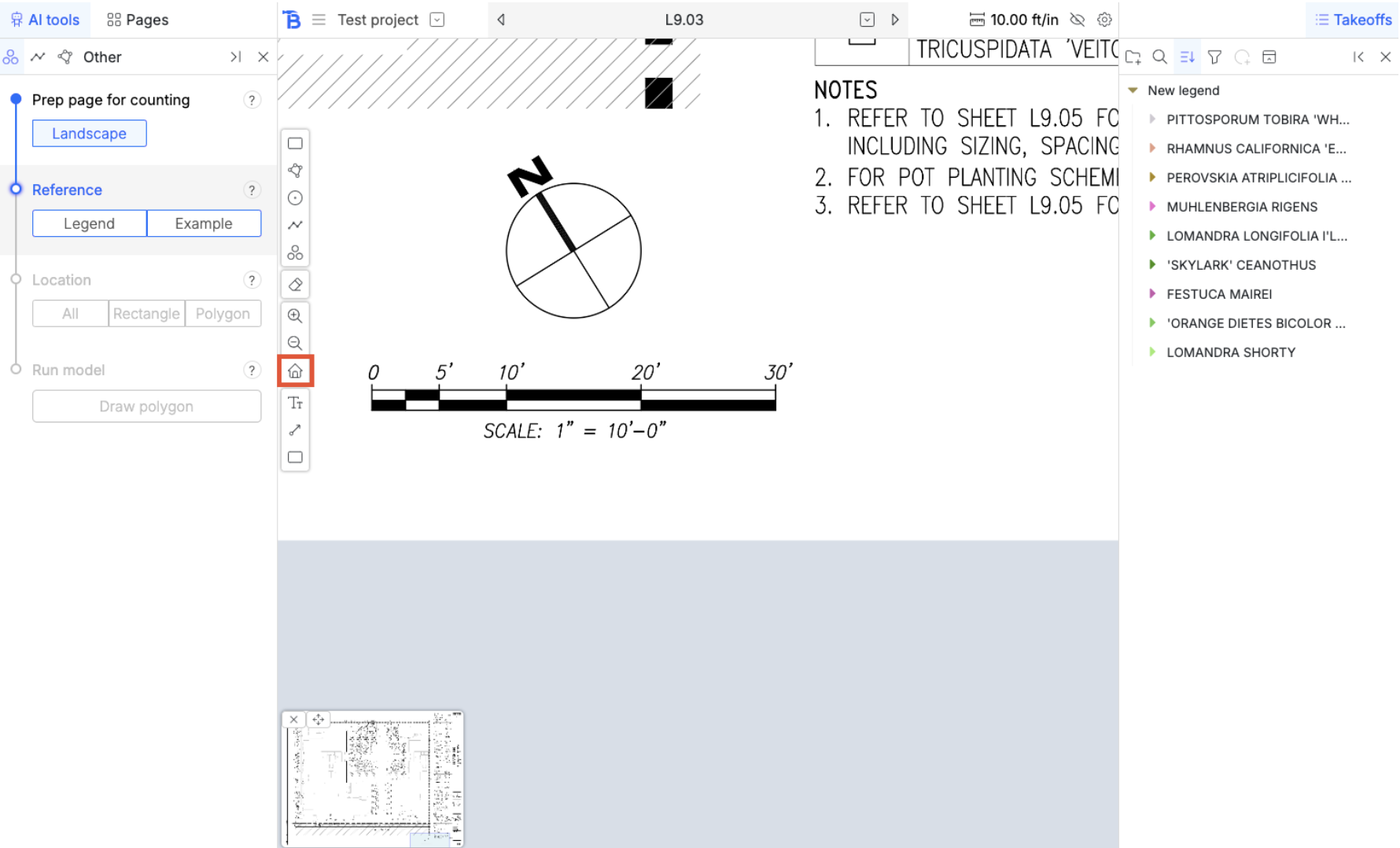
Click on the home button to reset view
<img src="https://mintcdn.com/bobyard/accwZIPeW2F5ipi-/images/guides/guide3-visibility1.png?fit=max&auto=format&n=accwZIPeW2F5ipi-&q=85&s=46ead458ce64f887f5a5db0dc8335994" width="1780" height="1078" data-path="images/guides/guide3-visibility1.png" />

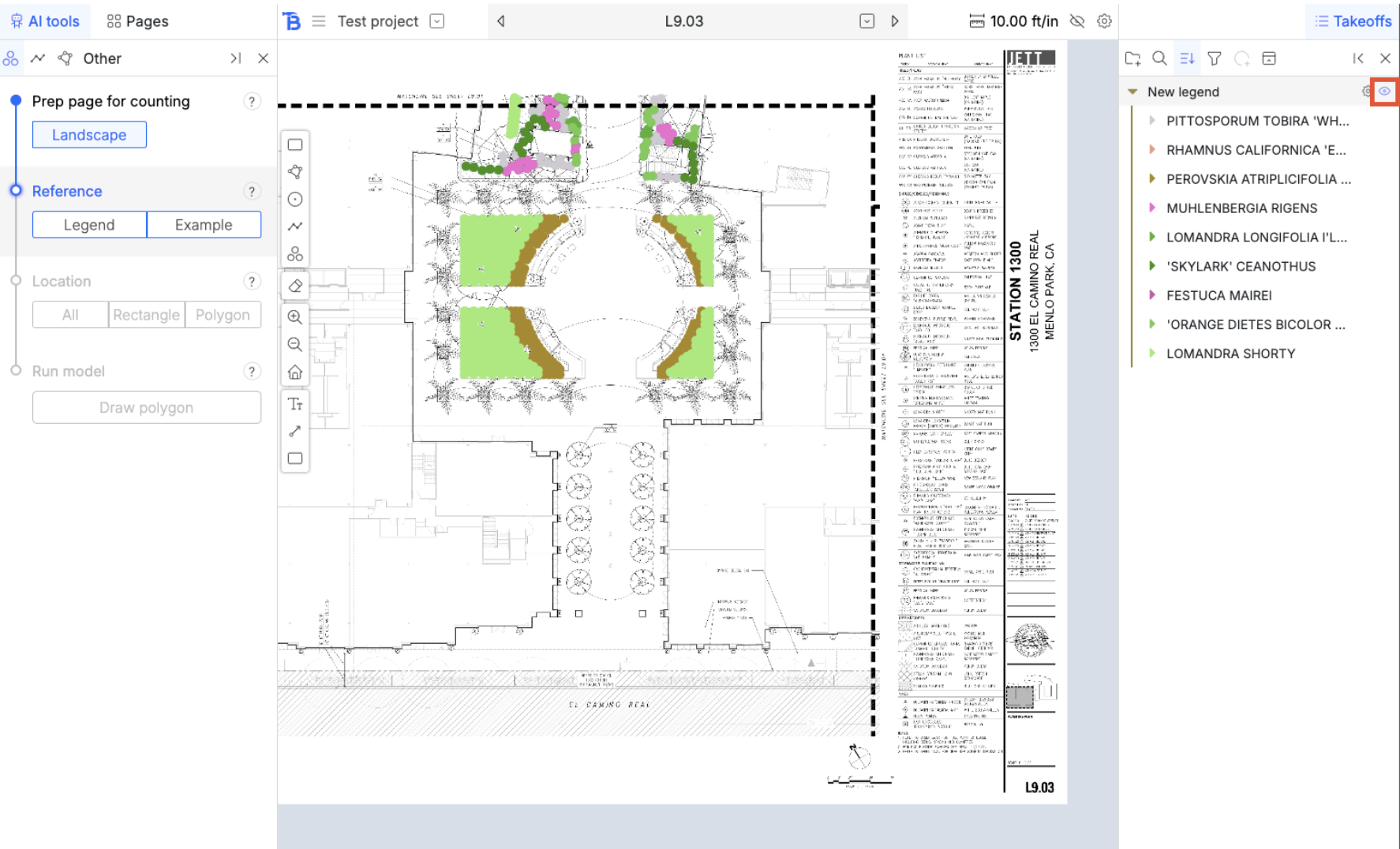
Hide measurements and folders by clicking on the eye icon.
<img src="https://mintcdn.com/bobyard/accwZIPeW2F5ipi-/images/guides/guide3-visibility2.png?fit=max&auto=format&n=accwZIPeW2F5ipi-&q=85&s=acd4ae74c56bb5fe346a0eea8e962866" width="1774" height="1076" data-path="images/guides/guide3-visibility2.png" />

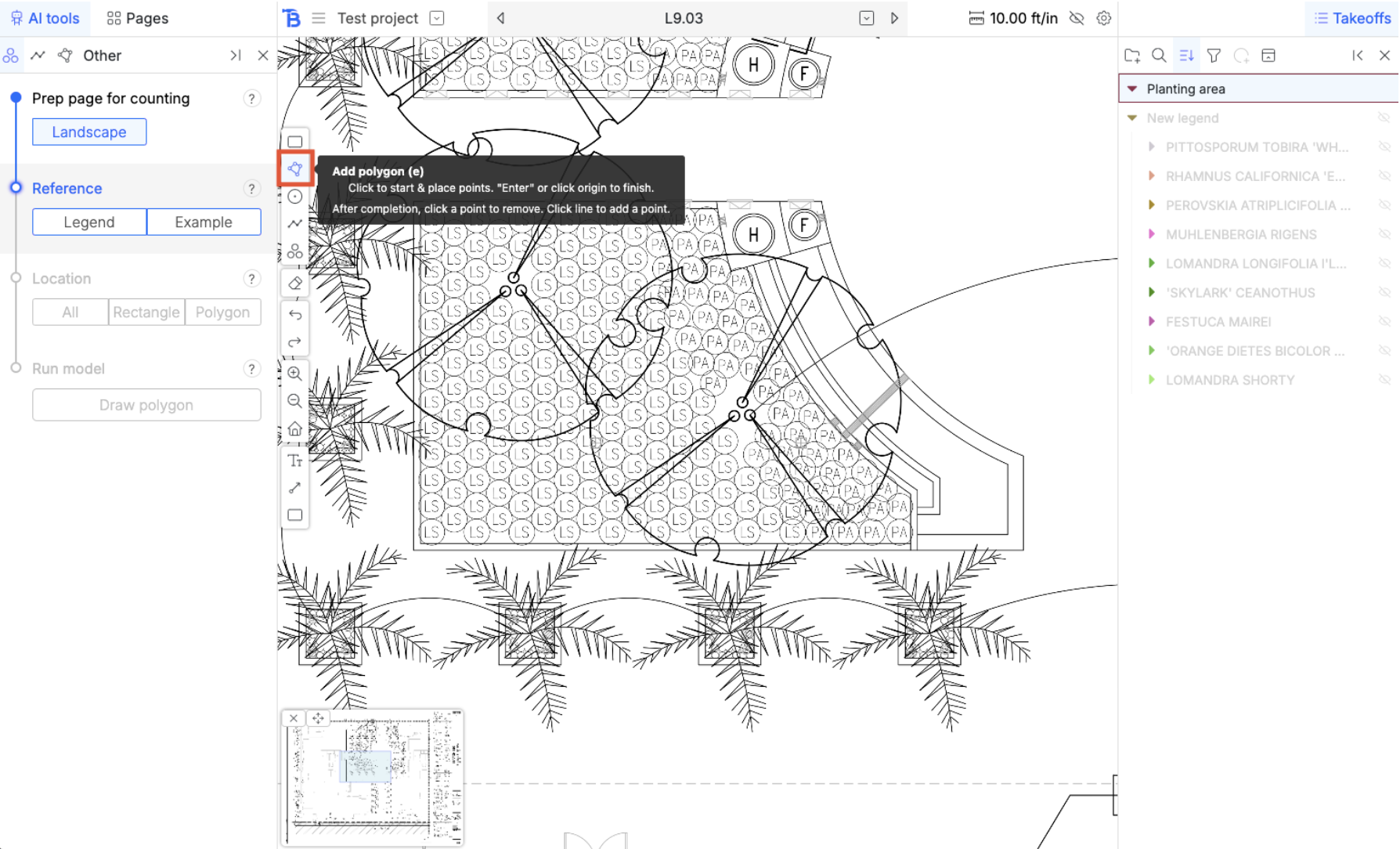
## Polygon tool

<img src="https://mintcdn.com/bobyard/accwZIPeW2F5ipi-/images/guides/guide3-polygontool1.png?fit=max&auto=format&n=accwZIPeW2F5ipi-&q=85&s=0c5c40be095b00e4c48de9ea2236c707" width="1788" height="1084" data-path="images/guides/guide3-polygontool1.png" />

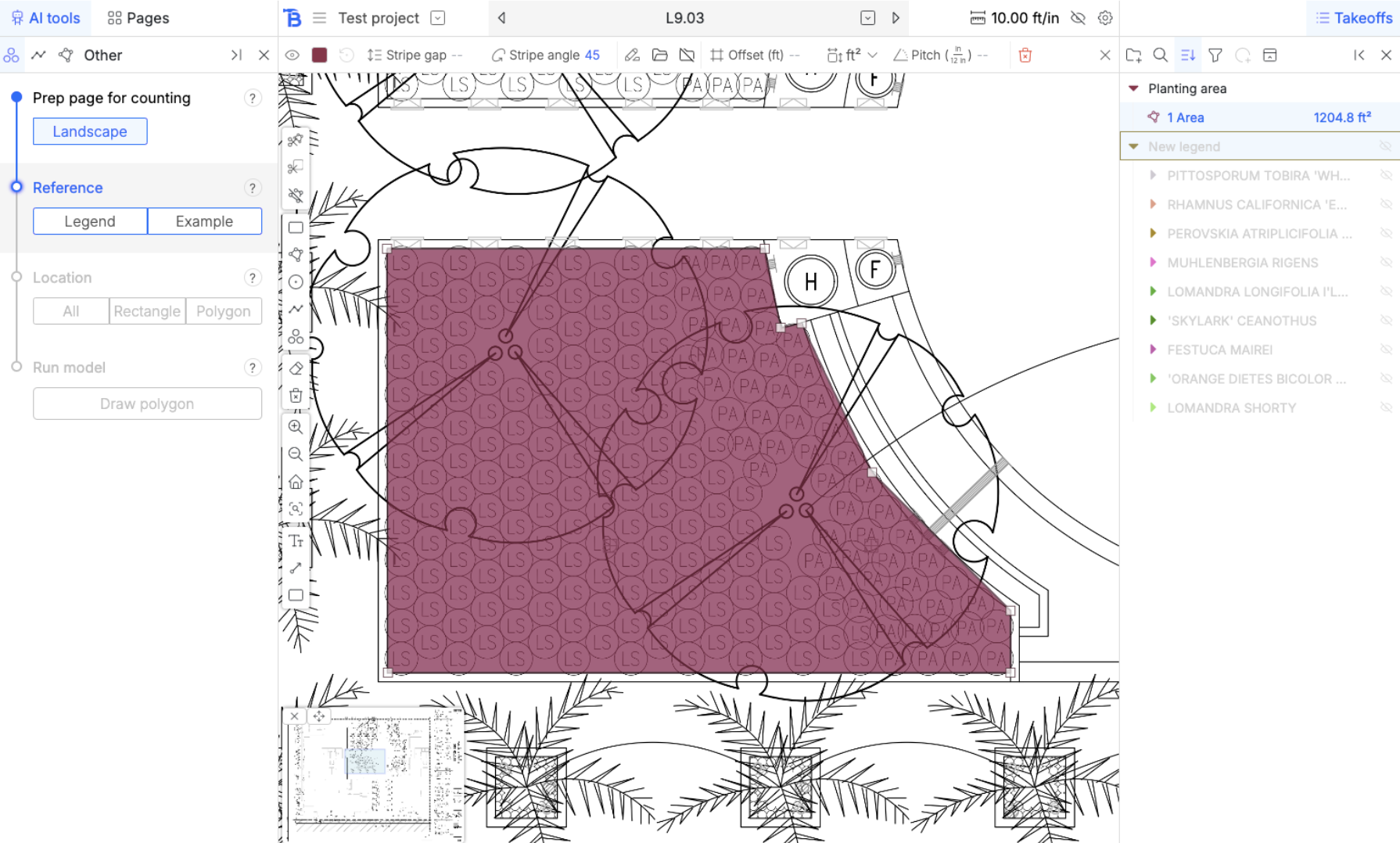
<img src="https://mintcdn.com/bobyard/accwZIPeW2F5ipi-/images/guides/guide3-polygontool2.png?fit=max&auto=format&n=accwZIPeW2F5ipi-&q=85&s=bd63481178dc4b361d7b8bda466651db" width="1790" height="1078" data-path="images/guides/guide3-polygontool2.png" />

There is a slight curve, we are going to draw an arc.

## Polygon arcs

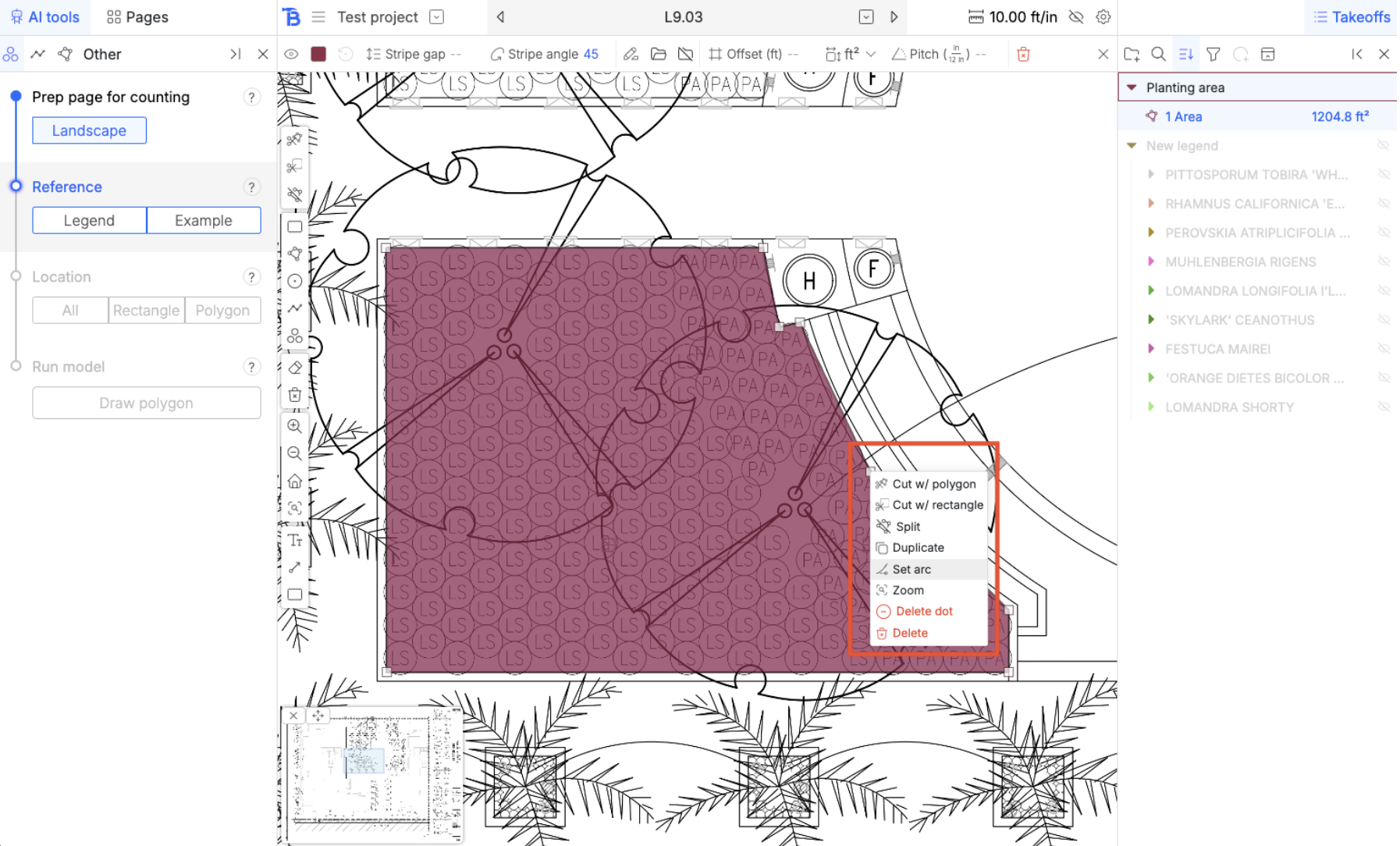
Right click on the vertex and a menu will popup for it. Set it to an arc.
<img src="https://mintcdn.com/bobyard/accwZIPeW2F5ipi-/images/guides/guide3-polygonarc1.png?fit=max&auto=format&n=accwZIPeW2F5ipi-&q=85&s=74c9763f8e7114dfaed399a3511a2ef1" width="1794" height="1084" data-path="images/guides/guide3-polygonarc1.png" />

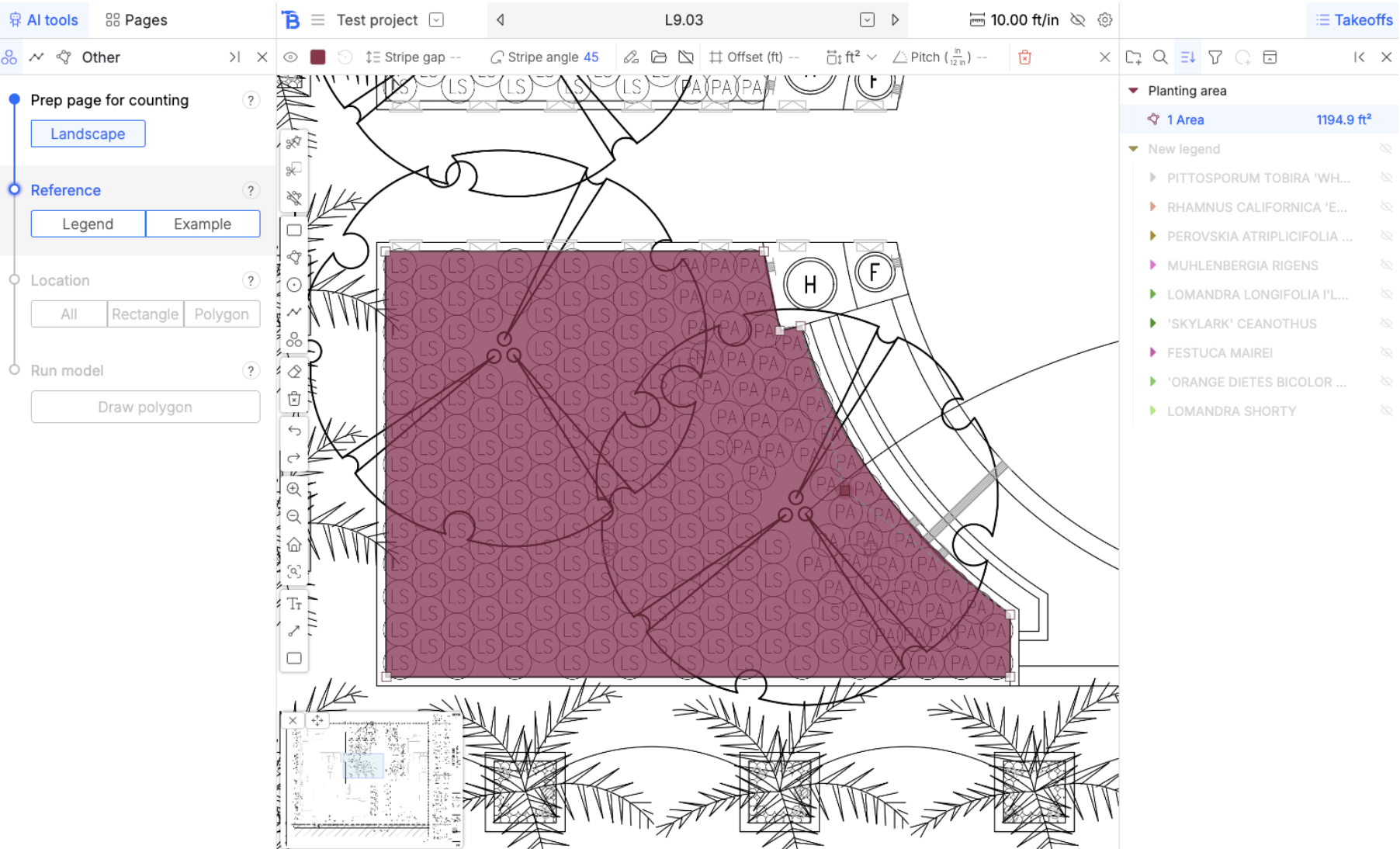
Drag the arc into the polygon to create this curve.
<img src="https://mintcdn.com/bobyard/accwZIPeW2F5ipi-/images/guides/guide3-polygonarc2.png?fit=max&auto=format&n=accwZIPeW2F5ipi-&q=85&s=e170fa694d888588addbe46f3e8afee7" width="1804" height="1094" data-path="images/guides/guide3-polygonarc2.png" />