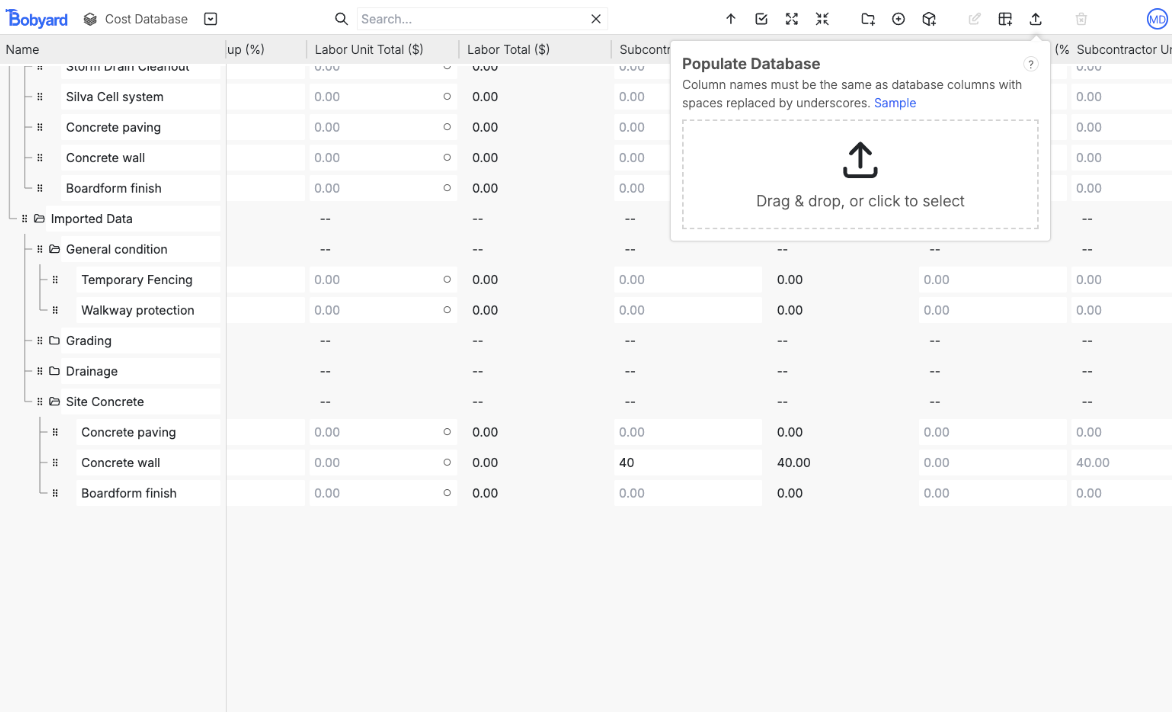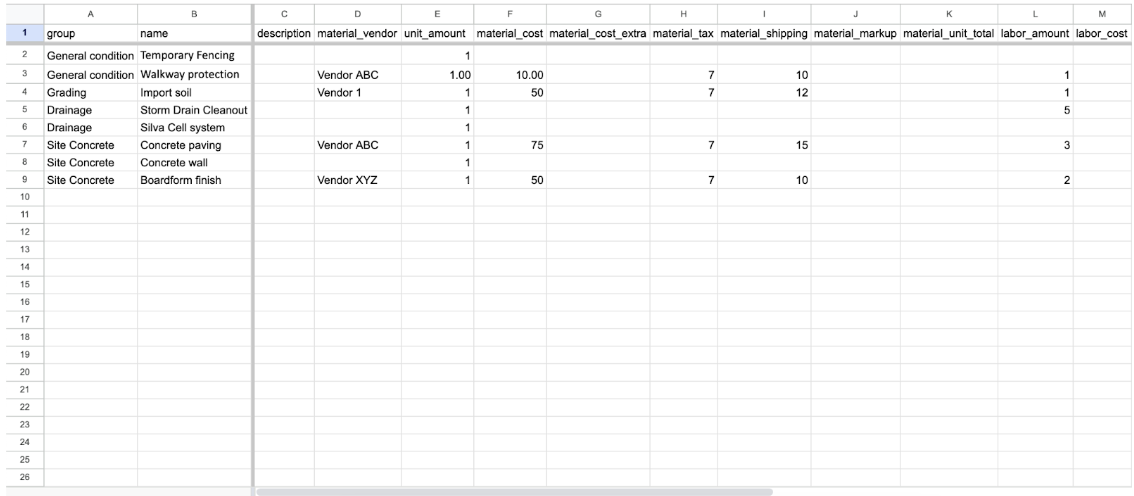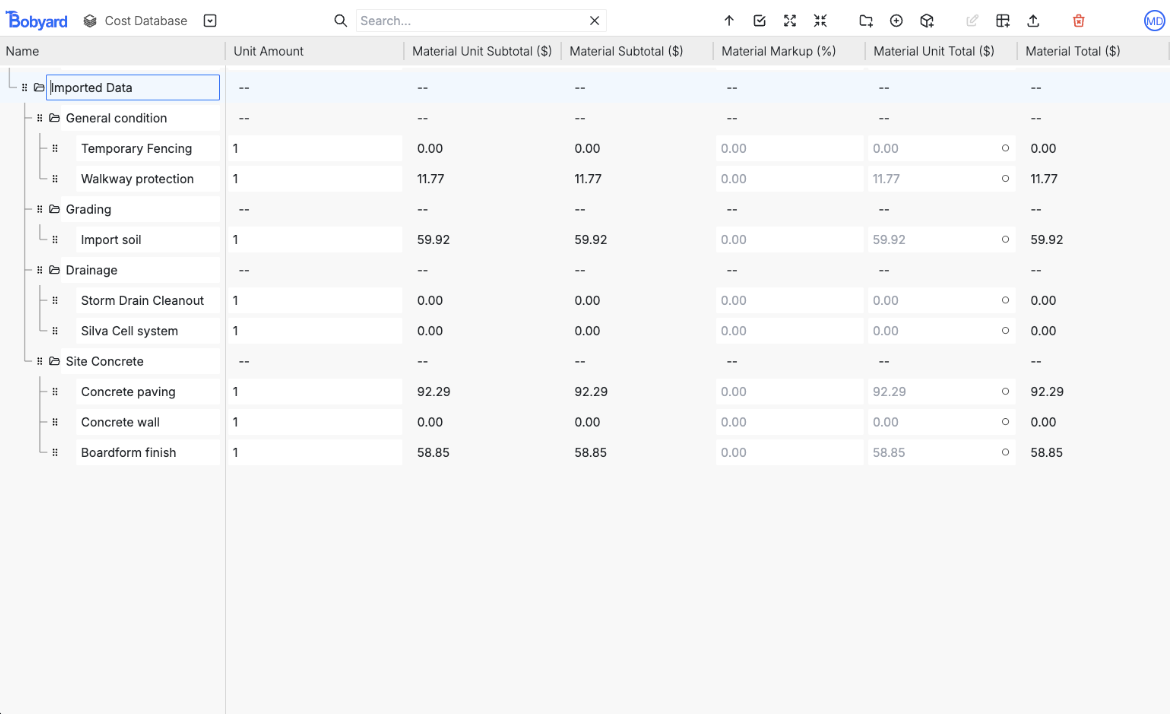
Overview
The database is structured just like the estimate table. It has the same columns and maintains the groups and items structure. This is where you can create new rows and manage existing ones in the database for use in projects. It’s accessible from the dashboard: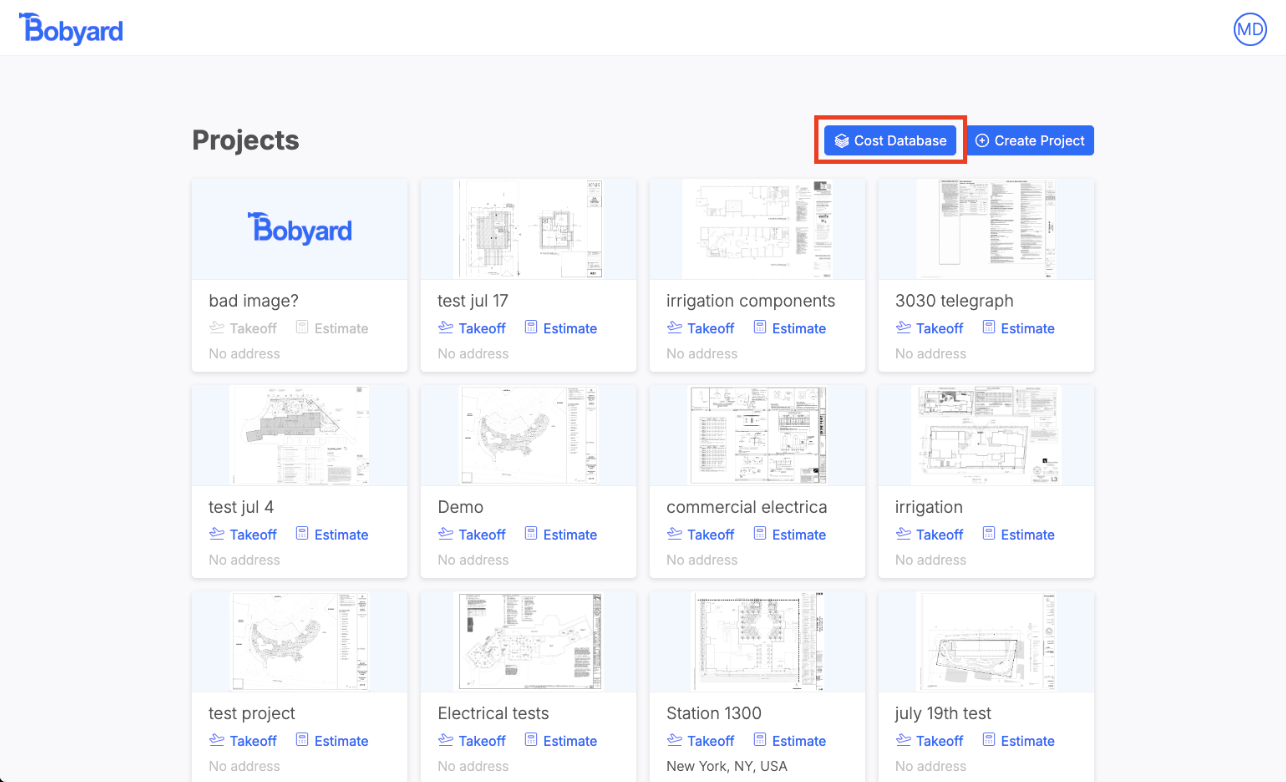
- Bobyard logo goes to dashboard
- The dropdown button lets you navigate to a project’s estimate table
- Search finds all rows whose name or description contains the search term
- The up arrow scrolls to the top
- The check box selects all items
- Four arrows pointing out expands all folders
- Four arrows pointing in collapses all folders
- Create new folder
- Create item
- Create assembly
- Group edit
- Toggle column visibility
- Import rows
- Delete currently selected rows
- Profile
Imports